
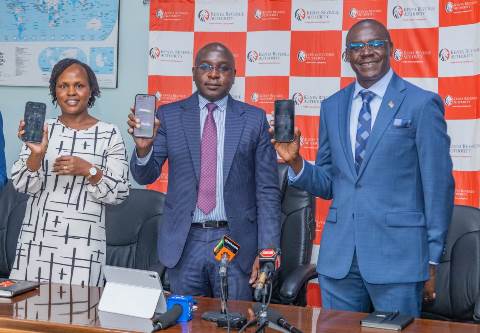
As tax season approaches, Kenyan traders now have a faster and more accessible way to stay compliant without the usual eTIMS challenges. The Kenya Revenue Authority has rolled out a WhatsApp-based service that allows users to generate eTIMS invoices and get tax filing support directly from their phones – no logins, long queues, or complex systems involved.
In January 2026, the Kenya Revenue Authority introduced a WhatsApp chatbot that allows you to generate eTIMS-compliant invoices and get help with filing returns—no browser, iTax login, or office visit required.
Here’s exactly how to use it, step by step.
Before You Start
Make sure you have:
- A registered KRA PIN
- An active WhatsApp account
- Your buyer’s KRA PIN (or name)
- Details of what you sold and the price
If you don’t have a KRA PIN or iTax registration, first visit the iTax portal to set it up. The chatbot only works after registration.
Step 1: Start the Chat
Save this number: +254 711 099 999 (e.g. “KRA Tax Services”).
Open WhatsApp and send “Hi” or “Menu”.
You’ll get a list of services. You can type “Menu” anytime to return here.
Step 2: Verify Your Identity
Enter your KRA PIN (e.g. A012345678Z).
The system will confirm your registered name and link the session to your tax profile.
Step 3: Select eTIMS Invoice
From the menu, choose eTIMS Invoice by typing its number or name.
Step 4: Enter Buyer Details
- Input your buyer’s KRA PIN (preferred for businesses)
- Or enter their name if they don’t have a PIN
Step 5: Add Sale Details
Provide:
- Item/service description
- Quantity
- Unit price
The system calculates totals and applies the correct tax automatically.
Carefully review the summary before confirming—errors require a credit note to fix.
Step 6: Confirm and Receive Invoice
Reply 1 to confirm.
You’ll instantly receive:
- An SMS with invoice number
- A link to download the PDF invoice
The invoice includes a QR code and is fully compliant.
What Happens Next
All invoices are automatically stored under your PIN in eTIMS. When filing returns, your data is already pre-filled—making filing faster and easier.
Alternative: No Smartphone?
Dial *222#, select KRA services, then eTIMS Invoice, and follow the prompts.
Important Reminder
Since 2026, KRA validates all expenses against eTIMS records.
If an expense isn’t backed by a valid invoice, it may be rejected – meaning higher tax.
The WhatsApp tool doesn’t change the rules – but it makes compliance much easier.
Follow us on: Facebook, X, LinkedIn, WhatsApp, Telegram, TikTok and Instagram.